By Nate Novosel
If you are new to the eCash ecosystem, you may not know that there are tokens and NFTs for sale on the Agora marketplace. Below are instructions for buying and selling tokens using Agora in Cashtab as well as the agora.cash site:
Buying and Selling on the Agora Marketplace in Cashtab Wallet
- Create a Cashtab Wallet at https://cashtab.com/.
(New Wallet->write down your seed phrase)
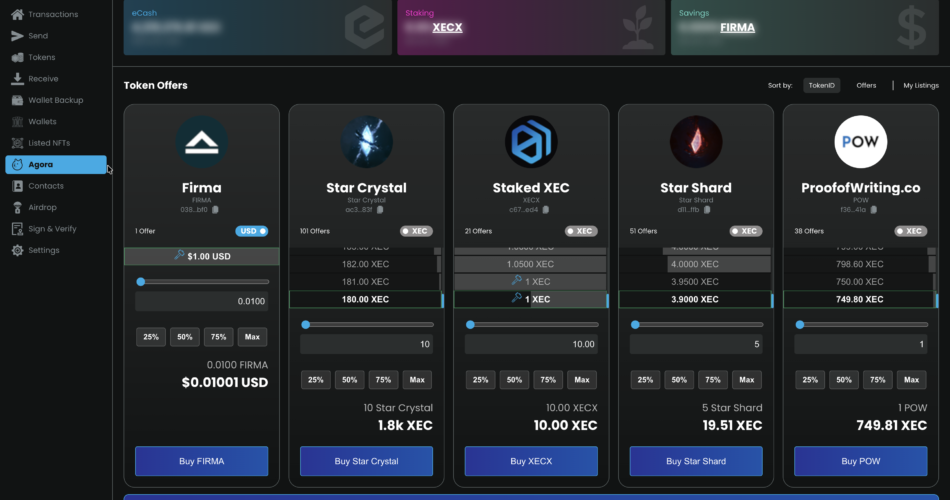
(If you already created a Cashtab wallet in the above instructions, you do not need a new one—use it if you’re logged in or select Import Wallet if you’re not) - Click on the Agora tab. (see below screenshot of what the Agora tab looks like)
- To buy, select the token you wish to buy. (To sell, go to step 5)
- To buy tokens, select the price, set the quantity, and click “Buy [Token]”
(note: at the time of this post, you can make sell orders but not buy orders using Cashtab; for buy orders, see the agora.cash instructions) - To sell, select the token you wish to sell on the Tokens tab of Cashtab.
- To sell tokens, select the price, set the quantity, and click “Sell [Token]”
(note: because sell orders exist but not buy orders, buying tokens instantaneously purchases them at the lowest listed sell price, but selling tokens simply puts it up for sale on the marketplace)
(Note: you can do this for NFTs, too—just select the “NFTs” tab instead)
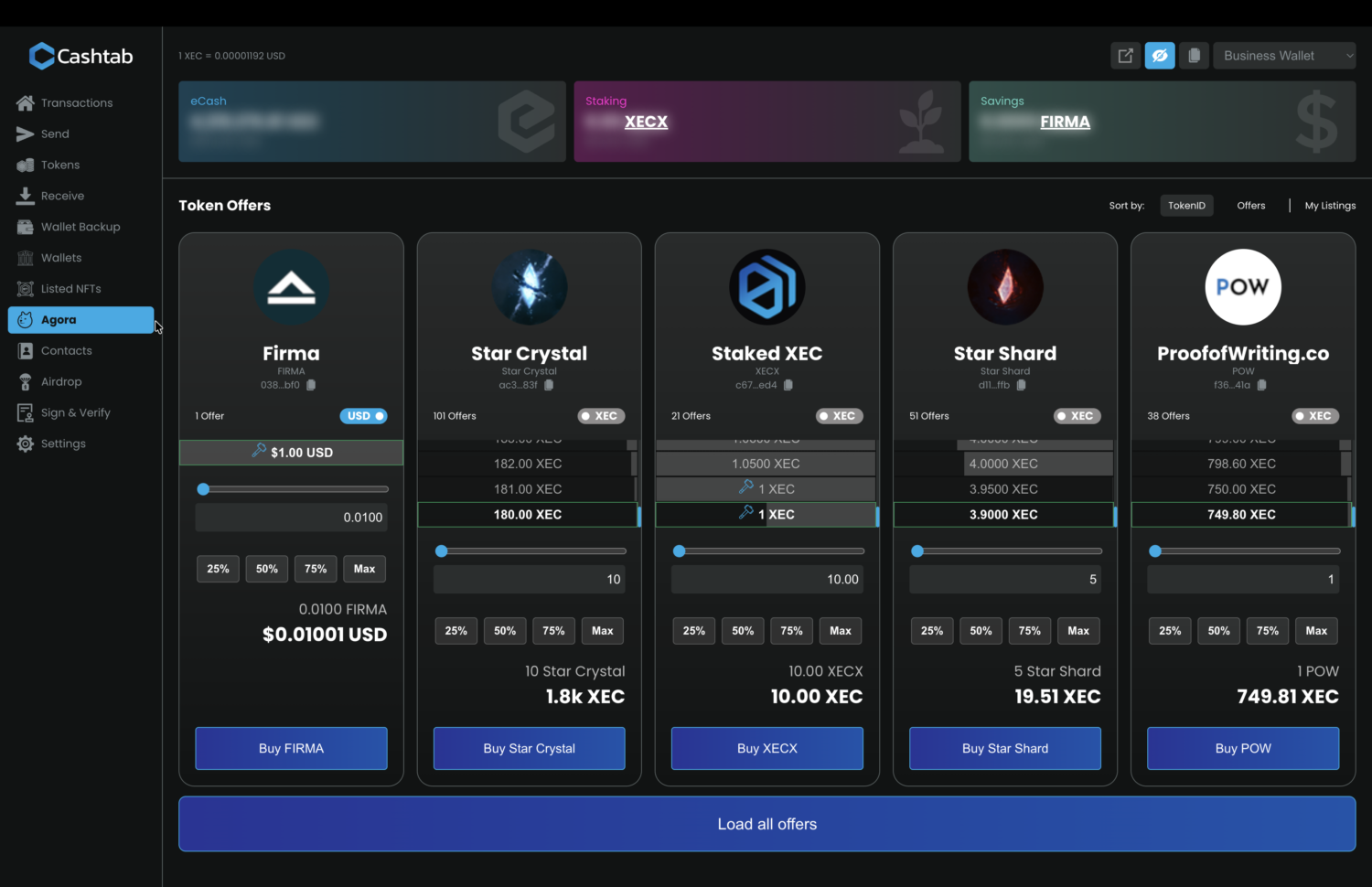
This is a screenshot of what Cashtab’s Agora marketplace looks like at the time of this post:
For a better user experience monitoring the market, finding tokens, reviewing price changes, etc., go to agora.cash.
Buying on the Agora.cash Site
- Create a Cashtab Wallet at https://cashtab.com/.
(New Wallet->write down your seed phrase)
(If you already created a Cashtab wallet in the above instructions, you do not need a new one—use it if you’re logged in or select Import Wallet if you’re not) - Go to agora.cash.
- Browse or search for tokens that interest you.
(note: many tokens have links to get more information about them) - If you wish to set buy orders on agora.cash, you need to log in.
Important Note: at the time of this post, the current method for logging into agora.cash is inputting your seed phrase. Normally, you should NEVER give your seed phrase to anyone for any reason unless you are typing it into your wallet (and, even then, you should double-check the site address and make sure it is not a scam site trying to steal your seed phrase). Currently, however, the method agora.cash uses to enable you to make buy and sell orders on your wallet’s behalf is to have you input your seed phrase. While it requires wallet access permissions to make your buy and sell orders for tokens on Agora, please do not get used to typing your seed phrase into web sites—unless it’s an official site, it will be a scam that will steal your funds. Please, please, please don’t share your seed phrase with anyone unless you are absolutely sure, as any person who has the seed phrase can empty the wallet. - To create a buy order, select “Swap”, select the token you wish to trade for, and then set the price and quantity you wish to buy. Unlike Cashtab, Agora.cash accepts buy orders at the time of this post but requires you to be logged in and have the browser active to trigger the swap at the time a sell order is listed at your set buy price.
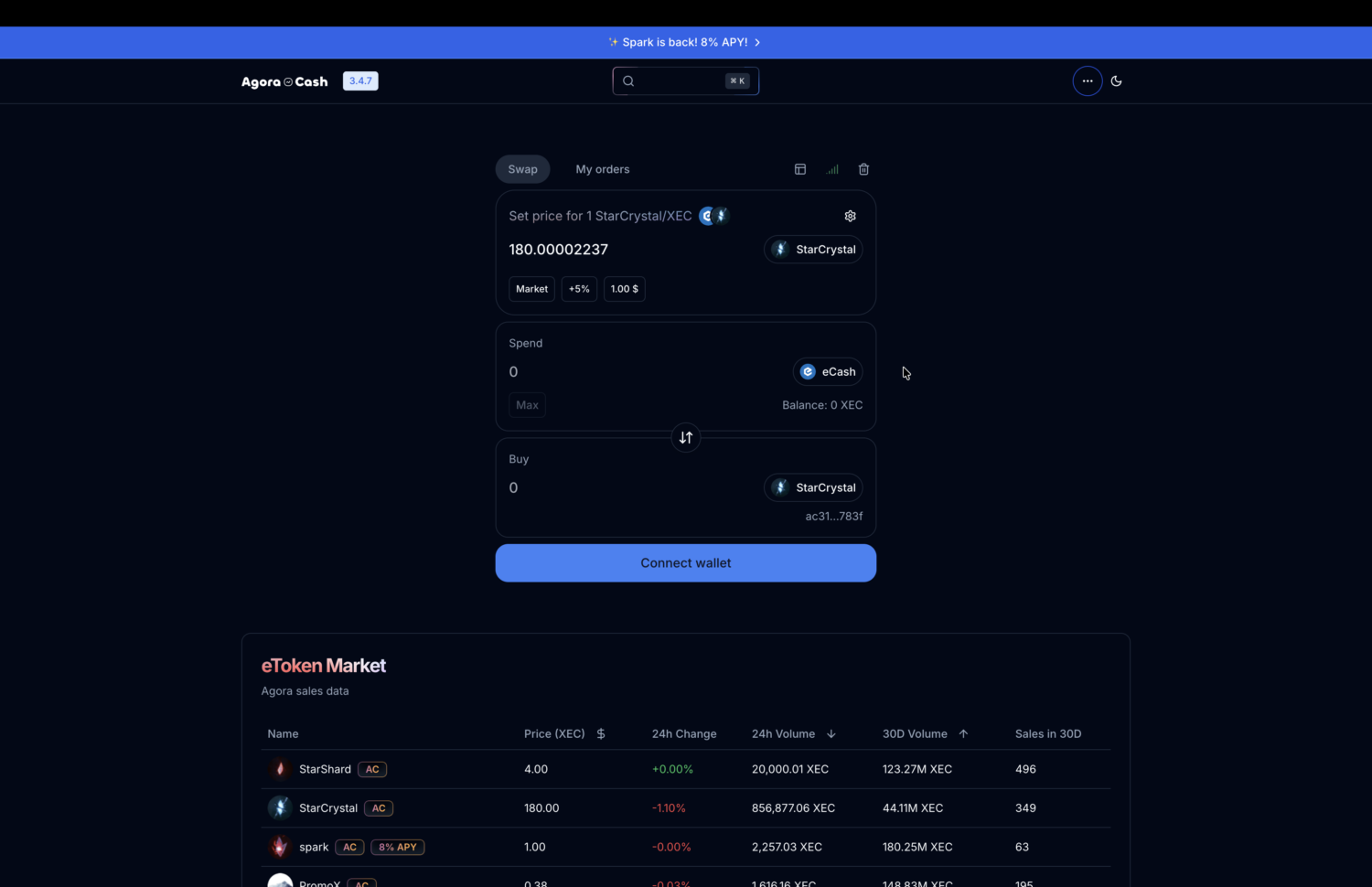
This is a screenshot of what the agora.cash interface looks like at the time of this post: (Swap functionality being shown at the top; token market information shown at the bottom)
🔥 4 unlocks and counting...
Great but i would like to see more improve about this topic
Good explanation 👏